
Why Meeting Rooms Keep Failing And How to Fix Them Before They Cost You Time

Even the most high-tech boardrooms can grind to a halt when video freezes, microphones cut out, or screen sharing fails at the worst possible moment. Businesses are investing more than ever in top-tier digital communication infrastructure, yet recurring technical problems still cause disruptions. Every technical hiccup in a meeting costs time, money, and sometimes credibility.
Dependable technology is essential to successful business meetings. Meeting room AV issues can range from blurry video and inconsistent audio to sudden disconnections that disrupt workflow. These issues disrupt and frustrate participants, leading to misunderstandings, slow decision-making, and strained professional relationships. A reliable AV setup ensures meetings run smoothly, allowing teams to focus on collaboration, problem-solving, and achieving outcomes instead of troubleshooting technology. Paying attention to common AV challenges is critical for creating a meeting environment that truly supports productivity.
Poor AV Integration:
Poor AV integration in meeting rooms often shows up as small, recurring frustrations that slowly erode productivity. Displays don’t connect reliably to laptops. Wireless sharing drops out mid-presentation. Microphones pick up HVAC noise but not the person speaking. Remote participants complain they can’t hear or see clearly, while in-room attendees struggle with awkward camera angles or echo. Different components, like cameras, mics, speakers, displays, and conferencing platforms, feel like they’re stitched together rather than designed to work as one system. Users are forced to fumble with cables, adapters, and multiple remotes just to start a meeting, turning what should be a one-click experience into a five-minute troubleshooting session. When the equipment itself is unreliable, these frustrations only multiply.
Unreliable Equipment:
Unreliable AV equipment often reveals itself at the worst possible moments in the form of flickering displays, microphones that cut in and out, cameras that freeze, or control panels that need constant reboots. Hardware may be outdated, improperly installed, or simply not rated for the demands of daily use. Cables loosen over time, firmware goes unpatched, and components from different manufacturers fail to communicate consistently. What starts as occasional glitches can quickly become a pattern of breakdowns that users come to expect rather than question.
Inadequate Support:
Inadequate support is one of the most overlooked reasons meeting rooms fail. When something goes wrong, the default response is often to call IT. However, traditional IT teams are typically focused on networks, security, devices, and software deployments, not the nuances of room acoustics, signal flow, camera framing, or DSP programming. As a result, meeting room issues can get triaged like a laptop ticket: logged, queued, and addressed when possible. Meanwhile, the room remains partially functional or worse, avoided altogether. Without specialized AV expertise, recurring issues like echo, poor microphone pickup, control system glitches, or inconsistent video quality may never be fully resolved at the root cause.
The Real Cost of AV Problems
These issues don’t just waste time; they disrupt focus and momentum. Meetings start late, conversations are repeated for remote attendees, and important decisions get delayed. Teams may avoid certain rooms altogether, defaulting to less effective setups or postponing collaboration.
Over time, unreliable meeting room technology can undermine hybrid work strategies and employee engagement.
Quick Fixes & Common AV Mistakes You Can Solve Today
Even the best meeting rooms hit snags, but many problems are easier to fix than you think. Here’s a practical guide to the most common AV mistakes and how to address them immediately:
1. Too Many Cables and Adapters
The Problem: Multiple HDMI, VGA, or USB adapters make connecting devices slow and frustrating.
Quick Fix: Use a universal docking station or wireless presentation tool so laptops connect instantly. Label cables to avoid confusion.
2. Outdated Software and Firmware
The Problem: Outdated conferencing apps or display firmware can cause freezes, crashes, or compatibility issues.
Quick Fix: Set a recurring reminder to check for updates monthly. Even small patches can prevent big disruptions.
3. Poor Microphone Placement
The Problem: Mics placed too far from the speaker, or near walls and HVAC vents, pick up echo or background noise.
Quick Fix: Position microphones close to active speakers, away from reflective surfaces, and reduce speaker volume if needed.
Pro Tips for Faster Meetings:
Keep a small “AV cheat sheet” near the room controls with steps for the most common issues.
Test all connections before the meeting starts instead of troubleshooting mid-meeting.
Encourage participants to mute microphones when not speaking to reduce noise.
Professional AV Installation & Support
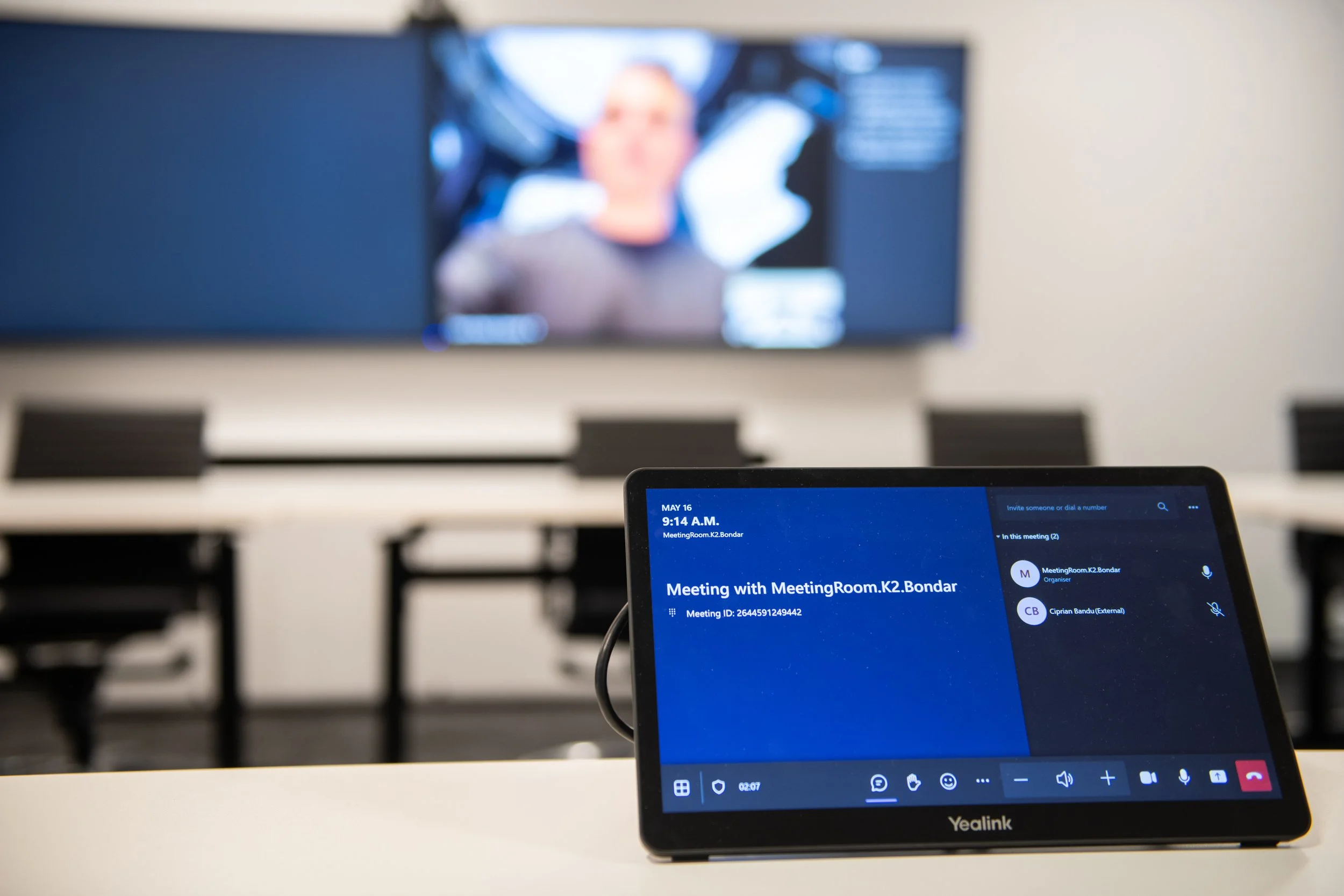
While quick fixes can solve small issues, recurring AV problems often require a long-term solution.
Handling meeting room technology effectively isn’t just about purchasing equipment, it’s about ensuring every component is installed, configured, and supported properly. A professional AV installer designs systems with the room’s acoustics, layout, and collaboration needs in mind, preventing many common issues before they ever occur.
Ongoing support is equally important. When problems arise, the goal isn’t just to restore functionality, but to ensure the entire system works together seamlessly so meetings can run without unnecessary interruptions. With proper monitoring, maintenance, and updates, businesses can ensure their meeting rooms continue running smoothly long after installation.
How AV Integration Solves Common Problems
Well-designed AV integration brings together hardware, software, and control systems into a single cohesive ecosystem. Displays, microphones, cameras, speakers, conferencing platforms, and wireless sharing tools are configured to work together seamlessly.
When everything is properly integrated, users can walk into a room, tap a single control interface, and start their meeting without juggling remotes, cables, or logins. Audio becomes clear and balanced, cameras frame participants automatically, and content sharing works instantly. Remote attendees experience the same clarity as those in the room, allowing meetings to run smoothly and efficiently.
Investing in a professionally installed and integrated meeting room setup delivers measurable returns. Reliable technology eliminates lost time spent troubleshooting, improves collaboration between in-person and remote participants, and helps teams make decisions faster. Instead of dealing with constant technical disruptions, organizations can focus on productive conversations that drive real results.
The good news is that with the right design, equipment, and expertise, these issues are completely avoidable. If recurring AV problems are slowing down your meetings, it may be time to look beyond quick fixes and address the root cause. A professionally integrated and supported meeting room can transform how your team collaborates.
Connect with us today to ensure your meeting spaces work as smoothly as the conversations happening inside them.